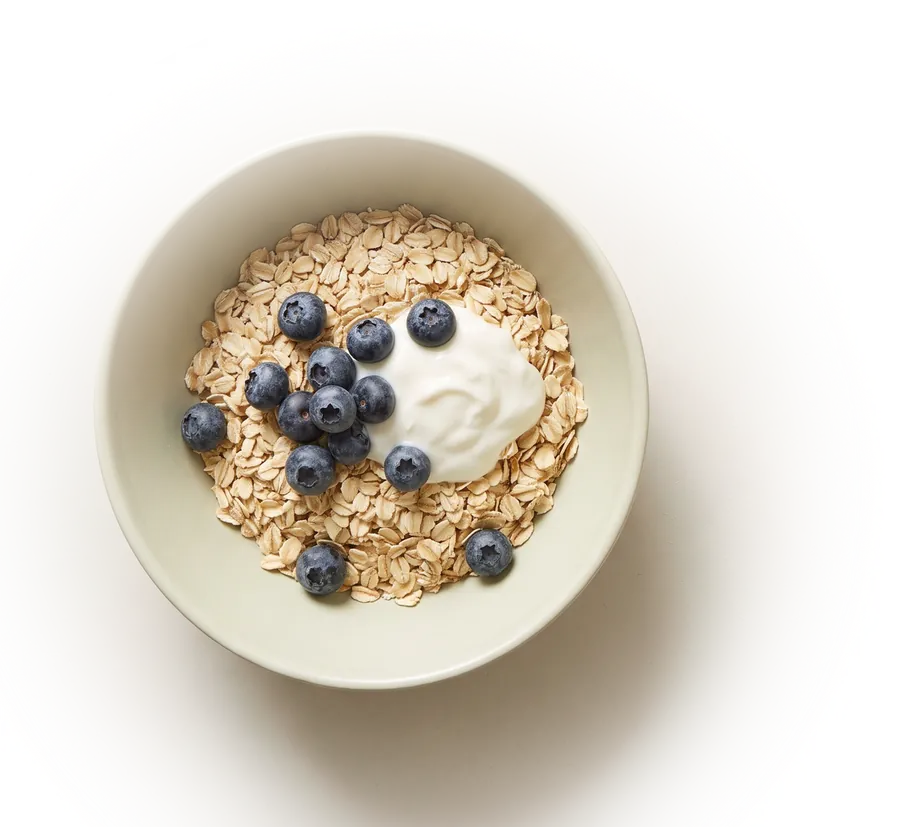
Calorie tracking for iPhone
One number a day:
what’s left to eat.
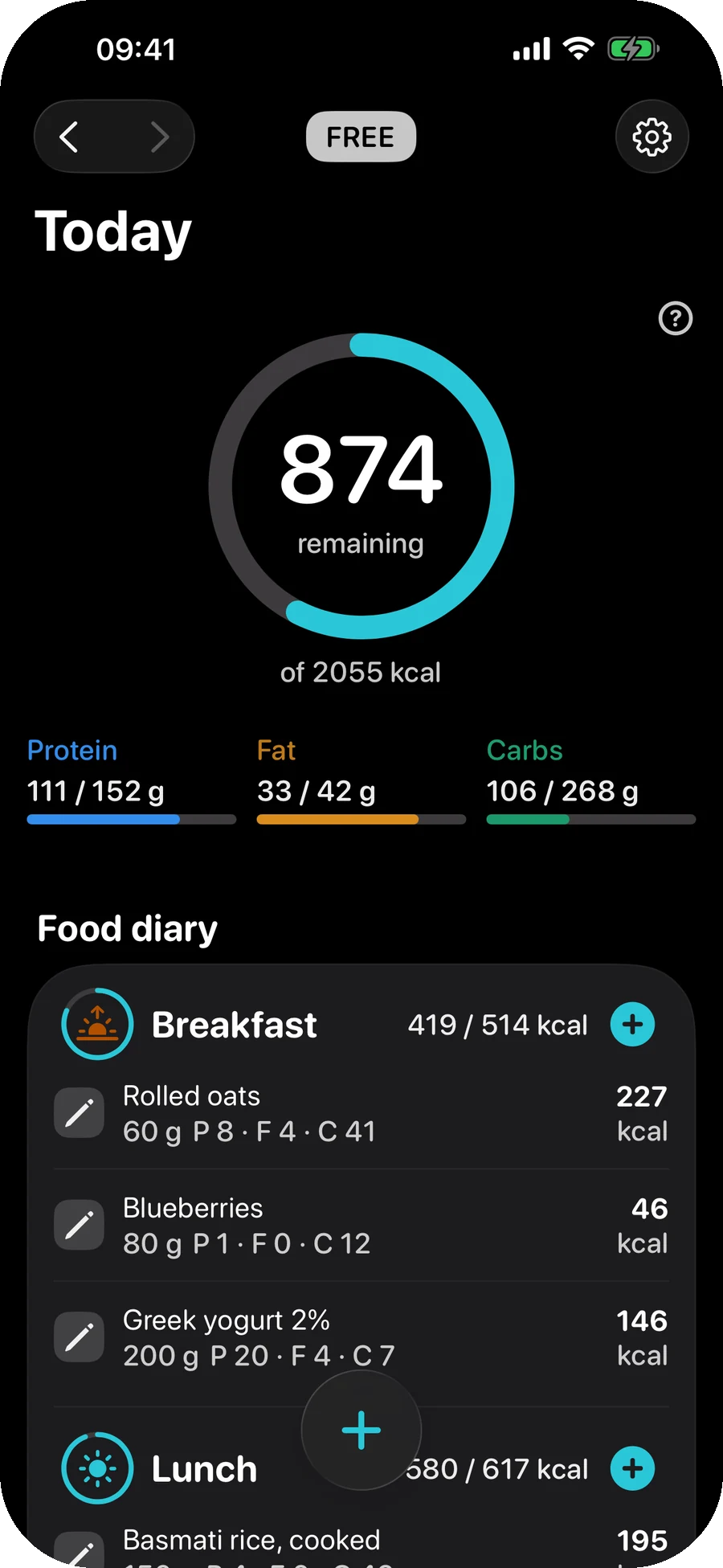
SmartCrunch does one thing — it steers what you eat towards a goal weight. No training plans, no feed, no account. A ring, a diary and a weight line, on one screen.

- iOS 26.0+
- No account
- 23 languages
- Free core, no daily limits
The difference
The budget learns you, instead of assuming you.
Almost every tracker asks your height, weight, age and sex, runs a formula and calls the answer your maintenance. Two people with identical answers get identical numbers — and can be hundreds of calories apart.
The usual way
A formula about a population
Height, weight, age, sex, an activity multiplier — done in the first minute, before the app has seen you eat anything. It never updates itself, because nothing in it is measured.
maintenance = BMR × activity guess
What SmartCrunch does
Arithmetic on your own weeks
Once you have a few weeks of entries and weigh-ins, the app solves the energy balance backwards: what you ate, against where your weight actually went. That figure absorbs the things a formula cannot know — metabolic adaptation, and the fact that you under-count your portions by a tenth.
maintenance = average intake − (weight trend, kg/day × 7700)
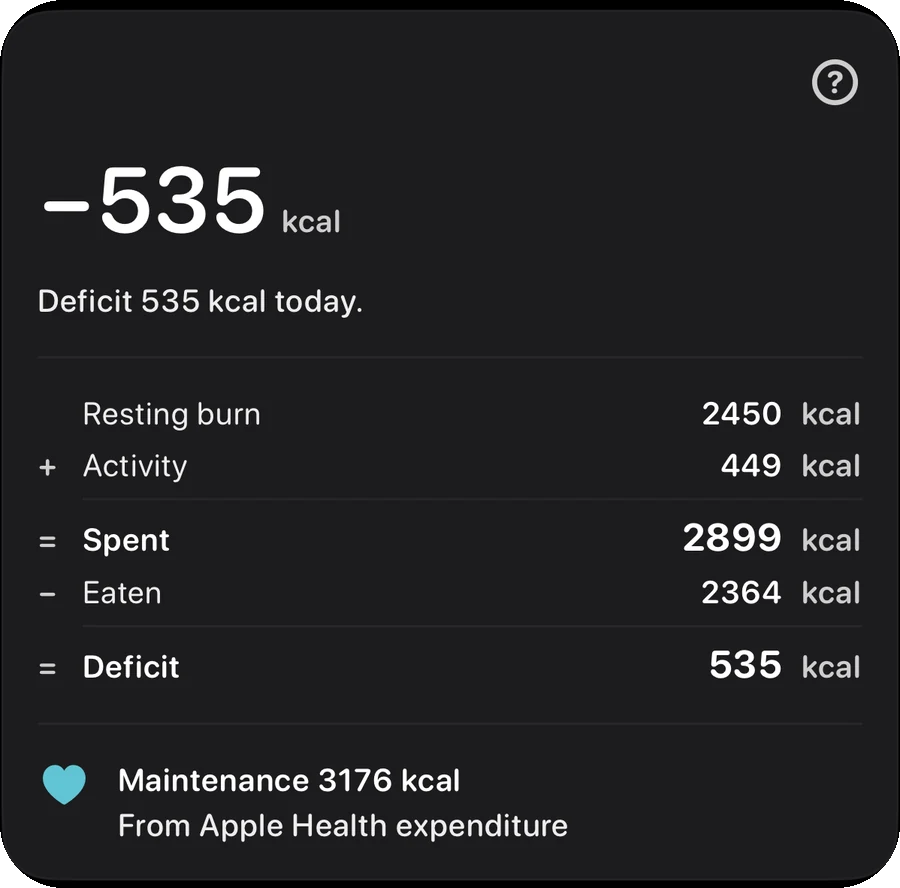
The whole calculation, on one card
Resting burn plus what you moved, minus what you ate. The app shows every term of it rather than a single verdict, so the number can be argued with — and it names where the expenditure came from, because a figure read from Apple Health and a figure the app estimated are not the same kind of number.
Maintenance, stated and sourced
The line at the foot of the card is the one that matters: the maintenance figure in force today, and what it was derived from. It changes as your weeks change.
A goal weight, in plain terms
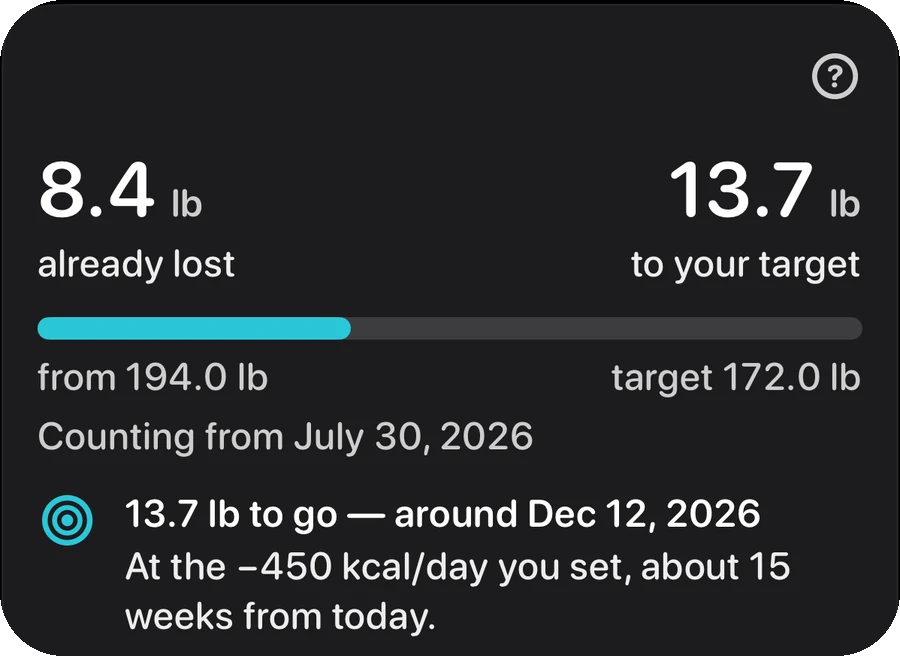
How much is left, how far along you are, and the date you arrive at the current pace. Change the pace and the date moves with it — the budget and the forecast are the same calculation, so they cannot disagree.
A trend line, not a verdict
Weight is drawn as a seven-day moving average through your measurements, so a heavy morning is one dot and not a judgement. Weigh in from Apple Health or type it — both feed the same line.
And it tells you when it was wrong
When the measured line and the forecast come apart, the app says so and by how much, instead of quietly redrawing the forecast to meet the data.

Getting food in
Six ways to log a meal. None of them costs money.
Logging is the whole job, so it opens from the one button on the canvas and finishes inside a single sheet — the steps change in place instead of stacking new screens on top of each other.
Scan a barcode Free
Point the camera at the packet. The product comes back from Open Food Facts, the open food database. If some macro is missing from the record, the app says so on the spot rather than filling the gap with a zero.
Search the same database Free
Type a name and pick from the results. Recent and frequent items sit under the search field, because the food you log today is usually food you logged last week.
Repeat yesterday Free
One tap copies yesterday’s breakfast, lunch or dinner into today, with the total shown before you tap. No confirmation dialog: every line can be deleted again.
Type it in Free
Name, portion, calories, protein, carbs, fat. The manual route is always there and never behind a paywall — it is what makes the app usable for a food no database has.
Save a dish you keep eating Free
Build a dish once from food you have already logged, name it, and it goes into My Recipes. Logging it again is one tap and no estimate: the app multiplies the saved per-100 g figures by the weight. Change the weight of the dish and every ingredient scales with it. Rename it, fix a weight, drop an ingredient or delete it whenever you like.
Star what you repeat Free
A star on a food — or on a whole dish — puts it in the Favourites tab, next to Recent and Frequent, under the search field. Breakfast that never changes is two taps from the canvas and never asks the database or the AI again.
Beyond calories
Every scanned product brings more than calories.
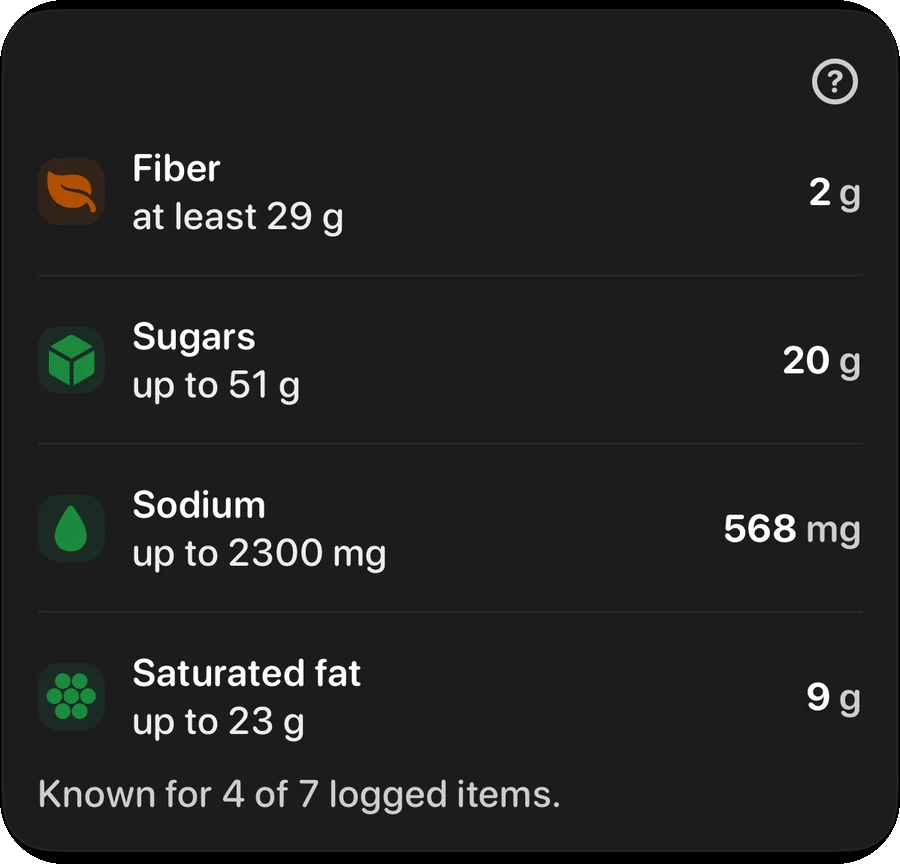
Fibre, sugars, sodium and saturated fat come with the products you scan or pick out of the food database, and their targets are derived from your own budget rather than from a generic adult — a bigger budget moves them, a smaller one moves them back. A meal you type in yourself, or one the AI estimates from a photo or a sentence, carries no such figures: the app leaves them unknown rather than counting them as zero.
Unknown is a value
A missing figure — in a food record, or in an entry that never had one to begin with — is not a zero. Treating it as one makes a day of packaged food look spotless, which is exactly backwards. So the app says what it knows: known for 4 of 7 logged items, printed next to the number rather than hidden behind it.
Targets that move with your budget
Fibre at 14 g per 1000 kcal, sugars and saturated fat each capped at a tenth of your energy, sodium at 2300 mg. They are derived from your own budget, so a bigger one moves them up and a smaller one moves them back.
Apple Health, both ways
Reads energy, body mass and body composition, height and dietary entries. Writes exactly four daily totals back: energy, protein, carbohydrate and fat. Nothing else is written, and nothing at all is required — the app works with Health switched off.
Outside the app
Most days you never open it.
The number is only useful at the moment you are deciding what to eat, and that moment is rarely spent inside an app. Six widgets put it on the Home Screen, and five spoken phrases reach it without one.
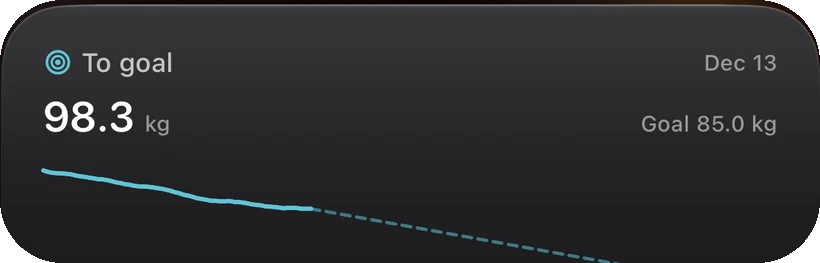
To goal. Where the trend is heading, without a tap. Also: today’s remaining budget, weight, water and the month at a glance — six in all.
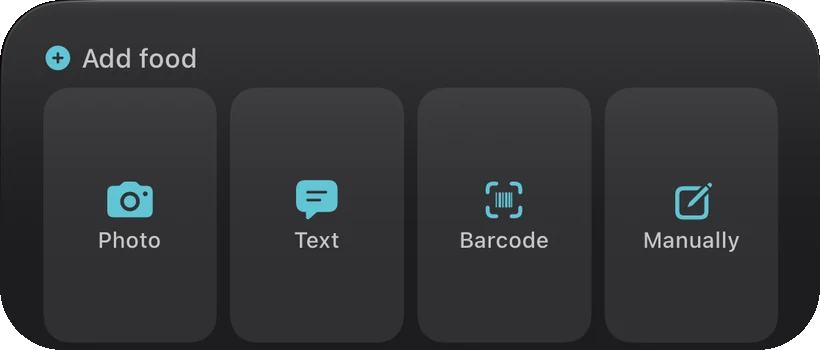
Add food. Four ways in, straight from the Home Screen. Barcode and Manually are free; Photo and Text are the Pro estimator.
Pricing
Free where it counts. Pro is only the AI.
Free, with no daily limits
- The calorie budget and the full food diary
- Barcode scanner and product search
- Fibre, sugars, sodium and saturated fat, from the food database
- Goal weight, trend line and forecast date
- Apple Health sync, in both directions
- Your whole history, on your device
SmartCrunch Pro Subscription
- Estimate a meal from a photo, and correct it before saving
- Estimate a meal from a sentence, the same way
- A suggested plan for the rest of today’s budget
That is the entire difference. Pro adds no number and changes no calculation — the AI proposes what a meal was, and the app’s own engines do the arithmetic, exactly as they do on the free tier.
Prices are the configured US storefront prices and are shown for orientation; your local price and currency appear in the App Store at purchase. Every plan opens with a 7-day free trial — nothing is charged during it, billing starts on day eight and renews until you cancel it in your Apple ID subscription settings. Cancelling stops the next renewal; the free features carry on working either way.
Guides
Counting is a skill. These are the parts nobody explains.
How to work out a stew instead of guessing at its portions, what a maintenance figure is actually worth, and why the scale can move overnight without a gram of it being fat. Every number in them says where it came from.
- How many calories should I eat to lose weight?
The ten-second number is an average of people shaped like you. Your own logged weeks give a better one — and this explains how, and when not to trust either.
- Maintenance calories, explained
Maintenance is the intake at which your weight holds. Every calculator predicts it from a population; your own logged weeks can measure it instead.
- How to count calories without it taking over your life
Weigh things, log before you eat, accept that you are under-recording. Precision on the parts that matter beats precision everywhere.
- How to count calories in homemade food
Log the raw ingredients, weigh the finished dish, then log your serving as a fraction of that weight. Everything else is a variation on it.
- Is 1200 calories a day enough?
1200 is a floor, not a target. It exists because below it, protein and micronutrients stop fitting on the plate — and for many people it is already too low.
- Why does my weight fluctuate so much?
Almost all short-term movement is water and gut contents. A kilo of fat takes 7700 kcal to build, which is why the scale can move faster than your body possibly could.
All 14 guides · Calculators · How it compares · How the budget is computed
Questions
Before you ask.
Is there a free trial?
Yes — seven days, on every plan. Nothing is charged during the trial, billing starts on day eight, and you cancel in the App Store whenever you like. You may not need it: everything listed as free is free forever, with no daily caps, so you can decide whether the app suits you without paying anything.
Do I need an account?
No. There is no sign-up, no login, no social feed and no leaderboard. Your diary lives on your iPhone.
What does Pro actually add?
One thing: the AI. A photo or a sentence turned into a first estimate of a meal, and a suggested plan for the rest of the day’s budget. Nothing in Pro changes a computed number — the app’s own engines do all of the arithmetic either way.
What if I log badly for a week?
Then the app does not pretend. The learned maintenance figure requires a run of days that are actually logged, and if that run is not there, it says so and falls back to a conventional estimate instead of quietly printing a number it cannot support.
Does it work with Apple Health?
Yes, in both directions. Weight and energy can come in from Health, and the day’s four totals — energy, protein, carbs and fat — are written back. You can also just type your weight in; Health is optional.
Which iPhones does it run on?
Any iPhone on iOS 26.0 or later.
Interface languages: English, Русский, Français, Deutsch, Ελληνικά, Español, 日本語, 한국어, 繁體中文, Polski, Čeština, Português, 简体中文, Italiano, Türkçe, Português (Brasil), العربية, עברית, Svenska, Dansk, Norsk bokmål, Suomi, Nederlands. Anything else you need is on the support page, and the health disclaimer is here — SmartCrunch is a food-logging tool, not a medical device, and it does not diagnose, treat or give medical advice.